


Introduction
You really have to empathize with BlackBerry to understand why updating the entire BlackBerry platform has taken so long. On one hand, it caters to an audience of serious business customers that have chosen RIM for both its unwavering dedication to device and information security, and enterprise support. On the other hand are end users that are purely regular smartphone customers - people that don’t care about things like FIPS compliance or BES - they just want an awesome smartphone.
Therein lies the problem RIM has been saddled with for the entire BlackBerry platform - there are simply too many BlackBerry users for a total platform reboot to be feasible. Change too much about BlackBerry, and the platform would no longer be appealing to businesses that would have to retrain users or reconsider the platform entirely. On the other hand, if the BlackBerry platform is left unchanged and not drastically modernized, it faces losing potentially huge swaths of market share across virtually every carrier to quick-innovating platforms like Android, iOS, and WebOS - at least among ordinary smartphone shoppers with a choice.
So the logical choice is exactly what we get with BlackBerry OS 6. It’s an evolutionary step from BlackBerry OS 5, one which brings a new WebKit based browser that RIM acquired from Torch Mobile, a slicker UI, and multimedia improvements that hopefully make the BlackBerry platform a little more pleasant on the eye.
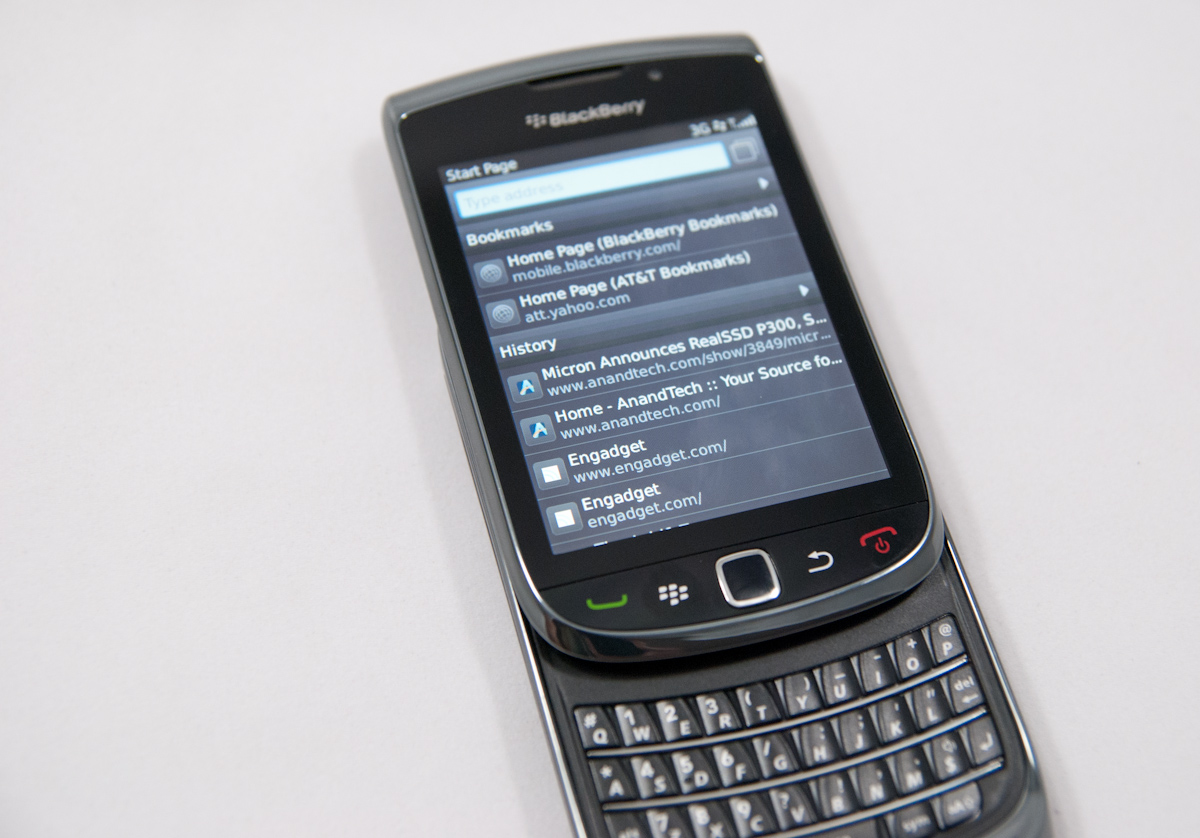
RIM has launched BlackBerry OS 6 with a new device, the BlackBerry Torch 9800. It’s an apt name for both the huge change in web browser (Torch Mobile was the name of the company RIM acquired for its WebKit based Iris Browser), but also no doubt as the symbol of hope RIM needs the new device and platform to be for continued relevance in the smartphone market. First, the specifications:
Physical Comparison | |||||||||
Apple iPhone 4 | Apple iPhone 3GS | BlackBerry Torch 9800 | HTC EVO 4G | Motorola Droid X | |||||
Height | 115.2 mm (4.5") | 115 mm (4.5") | 111 mm (4.4") closed, 148 (5.8") open | 121.9 mm (4.8") | 127.5 mm (5.02") | ||||
Width | 58.6 mm (2.31") | 62.1 mm (2.44") | 62 mm (2.4") | 66.0 mm (2.6") | 66.5 mm (2.62") | ||||
Depth | 9.3 mm ( 0.37") | 12.3 mm (0.48") | 14.6 mm (0.57") | 12.7 mm (0.5") | 9.9 mm (0.39") | ||||
Weight | 137 g (4.8 oz) | 133 g (4.7 oz) | 162 g (5.7 oz) | 170 g (6.0 oz) | 155 g (5.47 oz) | ||||
CPU | Apple A4 @ ~800MHz | Apple/Samsung A3 @ 600MHz | Marvell Tavor PXA930 @ 624 MHz | Qualcomm Scorpion @ 1GHz | TI OMAP 3630 @ 1GHz | ||||
GPU | PowerVR SGX 535 | PowerVR SGX 535 | (?) | Adreno 200 | PowerVR SGX 530 | ||||
RAM | 512MB LPDDR1 (?) | 256MB LPDDR1 | 512 MB LPDDR1 | 512MB LPDDR1 | 512MB LPDDR1 | ||||
NAND | 16GB or 32GB integrated | 16 or 32GB integrated | 4 GB integrated, 4 GB microSD preinstalled | 1 GB integrated, 8 GB microSD preinstalled | 8 GB integrated, preinstalled 16 GB microSD | ||||
Camera | 5MP with LED Flash + Front Facing Camera | 3MP with autofocus | 5 MP with LED Flash and autofocus | 8MP with dual LED Flash + Front Facing Camera | 8MP with dual LED Flash | ||||
Screen | 3.5" 640 x 960 LED backlit LCD | 3.5" 320 x 480 | 3.2" 360 x 480 | 4.3" 480 x 800 | 4.3" 480 x 854 | ||||
Battery | Integrated 5.254Whr | Integrated 4.51Whr | Removable 4.7Whr | Removable 5.5Whr | Removable 5.698 Whr | ||||
With that out of the way, let’s dive into it.
SoC Sidebar
Based on the table above, you'll note that the BlackBerry Torch 9800 uses an SoC that we're not used to seeing: the Marvell Tavor PXA930. We actually approached Marvell wanting to talk about the PXA930 in great depth however Marvell declined all opportunities to talk about the SoC. This is slightly unusual as Marvell has been more than forthcoming in the past with its new Armada SoCs. What it most likely implies is that the PXA930 isn't much to talk about.
Marvell is an ARM architecture licensee, meaning that its CPU cores implement various versions of the ARM ISA but in Marvell's own custom manner. Generally these custom designs are faster and/or lower power than the generic ARM designs at the same process node, however the PXA930 appears to be a couple of years old at this point - it's not a Snapdragon/Hummingbird/OMAP 3630 competitor.
Unfortunately that's the extent of what we're able to say at this point. While we normally like going into the nitty gritty on the SoC in our smartphone reviews, we weren't able to this time around.
Display Quality
So, SurePress is finally gone; it turns out you don’t need a reassuring click to successfully interact with a touchscreen. In its place is a capacitive multitouch display that’s mostly old hat for Android (post 2.1) and iDevice users alike. It’s nice to see that RIM was able to finally admit it was wrong about SurePress, even if there was never an outright admission. The Torch is admission of guilt enough, I suppose.
The touchscreen interaction on the Torch is actually top notch and responsive. I’ll get into browsing in a bit, but I found that multitouch gestures like pinch to zoom and flicking work and are recognized just like they should be. Part of making touch work is keeping the UI speedy and completely responsive, so that gestures and interaction take place fast enough to be believable. Luckily the Torch touchscreen always tracks properly and feels responsive.
Left: iPhone 4, Right: BlackBerry Torch (same size crops) | ||||
 |  | |||
Of course, the downside to the Torch’s screen is relatively low dot pitch, at 188 ppi. Bear in mind, however, that until the iPhone 4 swung around with its 330 ppi screen, the 3GS’ 165 ppi screen was generally considered good enough by many.
I made the move from a 285 ppi Touch Pro to the iPhone 3GS, and it took weeks to get over how downgraded that screen felt. Similarly, the larger 4” devices are creeping close to looking grainy as well, with the EVO 4G and Droid X sporting 217 and 228 ppi screens, respectively. There’s a fair amount of personal taste involved for whether physical size or dot pitch is most important.

Higher dot pitch screens undeniably look more attractive in person, and admittedly the Torch is behind the curve in this regard, but the fidelity of the display is by no means disappointing enough that it should dissuade potential customers that are already BlackBerry owners. It's disappointing for sure that the Torch doesn't have something Retina Display level resolution sure, but it isn't a showstopper. That said, if you already do have a higher dot pitch screen, you’ll feel the same amount of distaste I did switching from a VGA Touch Pro to a QVGA iPhone 3GS over a year ago.
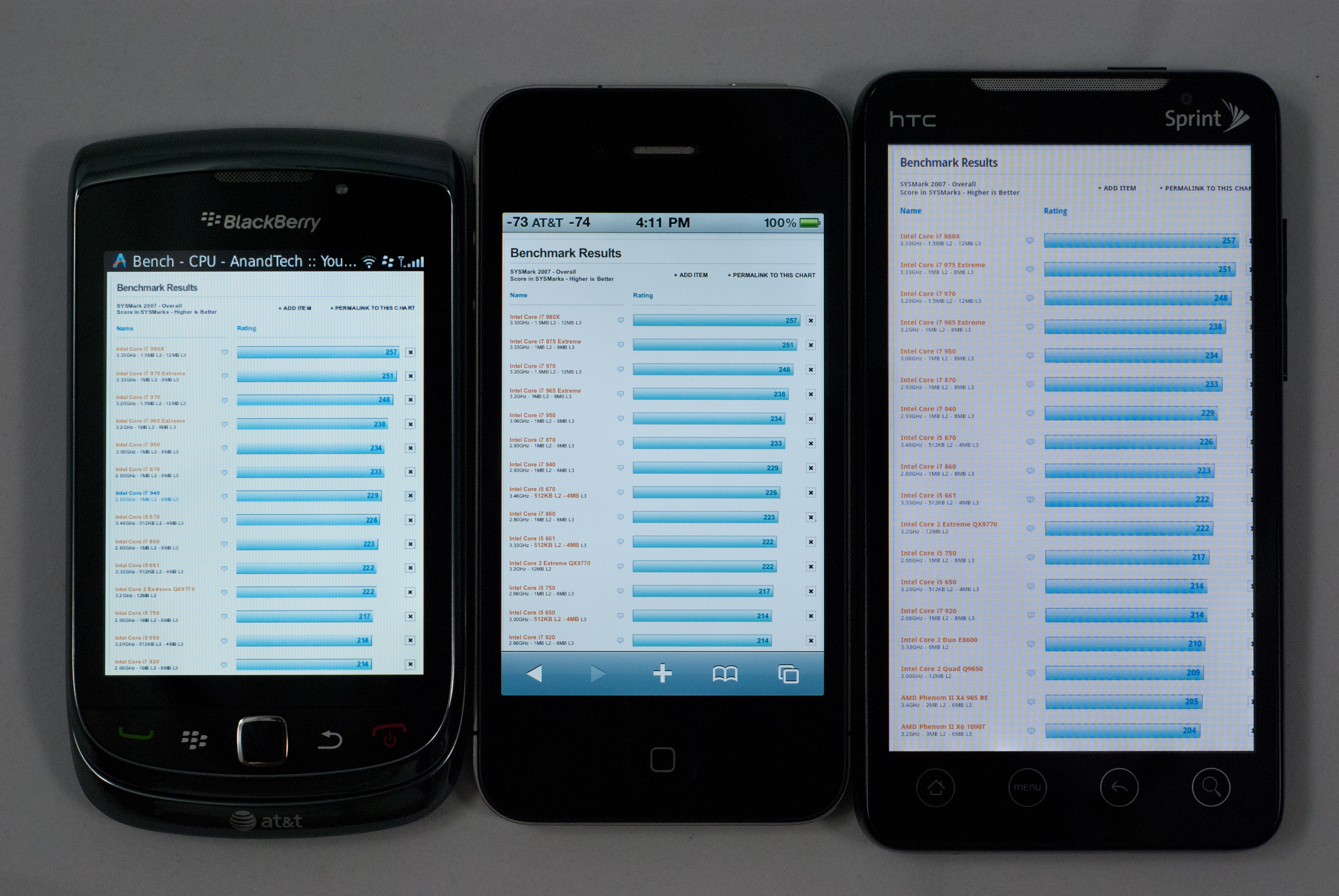
Left to right: Torch, iPhone 4, HTC EVO (click for full resolution)
You can really see the difference when comparing small text on webpages, and it’s especially dramatic when compared to the iPhone 4.
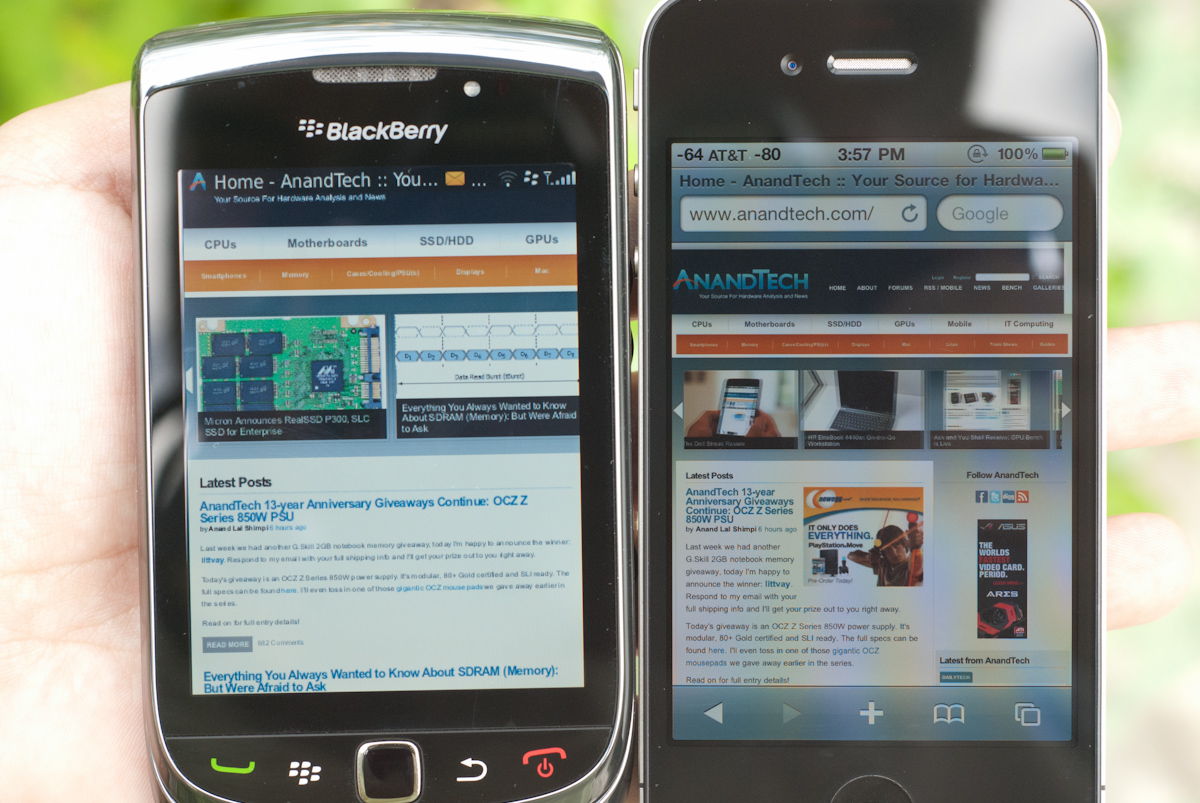
The Torch’s screen is one of the most readable outside that I’ve encountered in a while, with text and webpages being easy to make out even in intense daylight. Alongside the iPhone 4, the difference is pretty immediate, especially in how good white appears on the Torch compared to the iPhone 4.
The BlackBerry Torch 9800 is one of the most readable phones outside as I noted, and the reason is no doubt partially due to the exceptionally bright display - it's like a torch. Ha, ha, erm... Seriously it's the brightest I've measured:


Contrast is quite good on the Torch but can't quite best the first Motorola Droid's IPS display, unsurprisingly. Of course, the HTC Incredible and Nexus One AMOLED displays lead here technically since their black brightness levels are literally 0 nits.
Gallery: BlackBerry Torch 9800 Viewing Angles


Viewing angles are good but not perfect on the Torch, especially compared side by side with the iPhone 4, though I never was wanting for better viewing angles during regular use. Full comparison gallery is below in full resolution.
Keyboards - Virtual or Physical
I talked about the keyboard a bit on the Torch, and it’s every bit as good as older BlackBerry keyboards. It isn’t identical, but comes close. What’s different about the Torch keyboard is that there’s considerably less up, down, left, right movement to the keys than on older BlackBerry keyboards, no doubt due to the constrained space. The keys themselves are very much held in place and don’t wiggle on their domes, and have a resounding click when pressed. There’s a tiny bit of keyboard flex, but nothing bothersome.

The backlighting is also there, and uniform as it should be. There’s no dimming or falloff notable to the left or right across the keyboard like I’ve seen on a few other backlit physical keyboards.
Virtual Keyboards
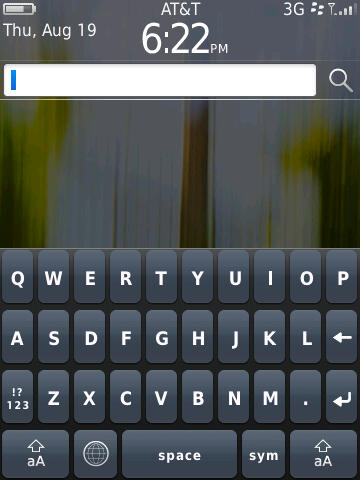
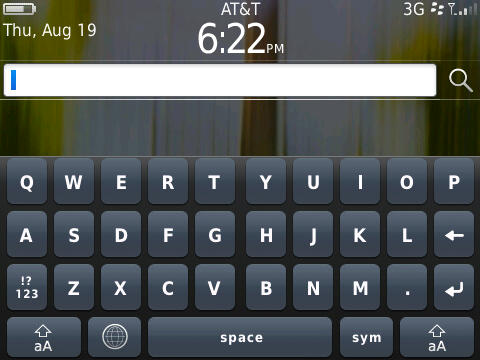
The real story is with BlackBerry 6's virtual keyboards. Whenever the keyboard tray is closed, and you’re in a text field, the virtual keyboard will pop up. There’s one for portrait, and one for landscape. Both are full QWERTY, but arranged in a relatively basic rectangular layout.
Left: Portrait, Right: Landscape Full QWERTY Virtual Keyboards | ||||
 |  | |||
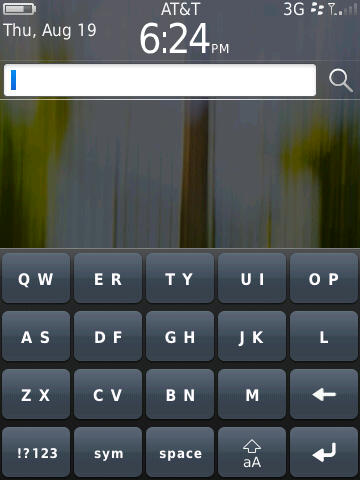
There’s also a reduced QWERTY version that joins adjacent keys, and a multi-tap version that's a throwback to tapping on numeric keypad characters multiple times to select letters. Technically you get three keyboards, but really only two of them are something sane people would ever use.
Left: Combined QWERTY, Right: Keyboard Settings | ||||
 | 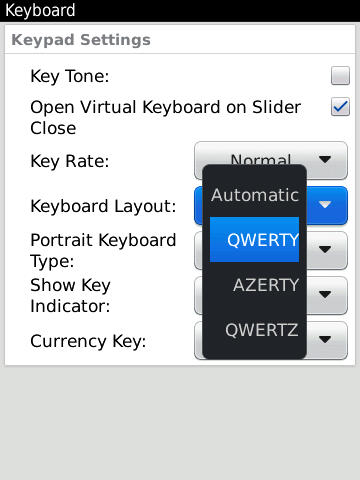 | |||
By default, the full QWERTY keyboard ships with all the assist settings turned off, and the reduced keyboard simply offers predictive intelligence. However, BlackBerry actually offers three modes of operation for the full keyboard - direct, predictive, and corrective. The names are pretty self explanatory. In direct mode, you get exactly what you type - there’s no assistance if you make a misspelling, or if you’re going fast and screw up. You get what you type. In predictive mode, the software will try and figure out what you’re trying to type and offer suggestions, and in corrective, you get iOS-like assistance when misspelling things. It isn’t perfect, and it still isn’t quite iOS level, but it isn’t bad.

BlackBerry also gives a huge suite of options for correction assistance settings, from whether the software is allowed to learn your, uh, unique diction from emails and messages (essentially swearing mode), to whether the suggestions should be context aware. Honestly, I think BlackBerry has provided more configuration settings for typing assistance on OS 6 than the stock Android keyboard, and certainly more than the virtually secret inner workings of iOS’.
Though it’s obvious that RIM put a lot of effort into the virtual keyboard, it still doesn’t feel polished enough that anyone should use it over the physical keyboard. It’s great to the extent that you can quickly type a URL with it - if you’re really so lazy that you can’t be bothered to slide out the keyboard - but I’m left wondering where outside of landscape anyone would use the virtual keyboard by choice.
The most notable flaw with the virtual keyboard is actually the placement of keys, which I already mentioned seems uninspired. It’s rectangular, not offset like virtually every usable virtual keyboard on the market. Android does it, iOS does it - RIM should have.
The other notable problem is the placement of the send key when you’re composing an SMS or BBM message. It’s right next to the delete key, and super easy to press on accident. See the photo down below - it's the one outlined in green, and the symbol inside changes depending on what context you're in. Worse, since you’re probably reaching for the backspace key when you hit it, you’re likely to inadvertently send someone a completely nonsensical message. I’ve had that happen almost every time I’ve used the virtual keyboard to compose an SMS or BBM.

It’s obvious that there was a lot of thought put into the predictive backend of the virtual keyboard input system, but not much into the actual front facing layout. It’s interesting that the Storm 2 isn’t among the devices slated for an eventual update to BB OS 6, given how close the virtual keyboard solutions are to being livable.
At the end of the day, the good physical keyboard on the Torch is what you should be using almost exclusively. Though the virtual keyboard is more than enough for casually entering web addresses, it just isn’t good enough for people that are messaging focused.
Rest of Platform
The other big change on BlackBerry 6 is the home screen, which is definitely an evolution of BlackBerry OS 5. If you’re coming from there, this is going to feel like largely familiar territory. By default there’s one row of applications in the navigation bar.
Left: Home - Portrait, Right: Home - Landscape | ||||
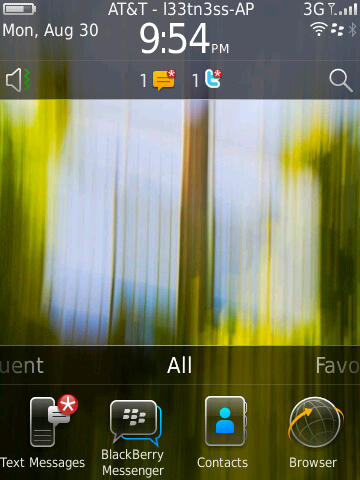 | 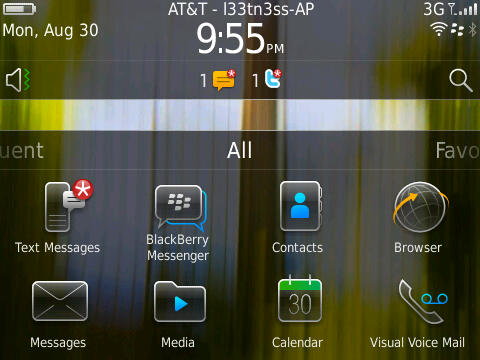 | |||
What’s different is that you can now drag the panel left and right, from all to favorites, media, downloads, and frequent.
BlackBerry 6 - Application Launcher Panes | |||||
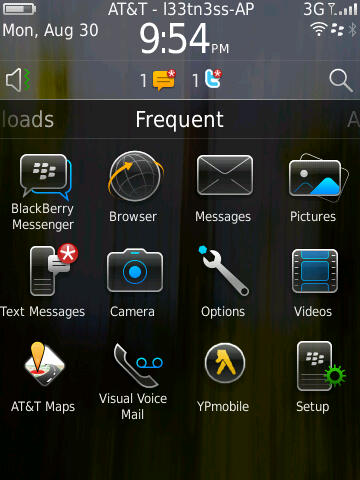 | 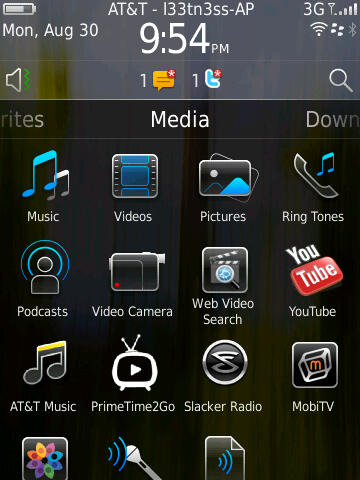 | 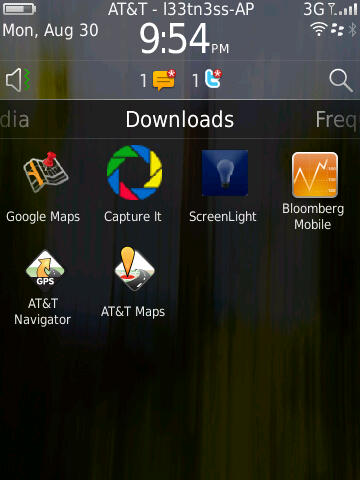 | |||
Press and hold, and you can drag the navigation bar up to show one, two, or three rows of applications. Tap the top, and you’ll cycle between showing the bar, and not showing the bar. What makes the platform feel a bit slow is that there seems to be some built in delay between when you swipe from panel to panel, and when the transition takes place.
Left: No Rows Shown, Right: Move Options - Long Press | ||||
 | 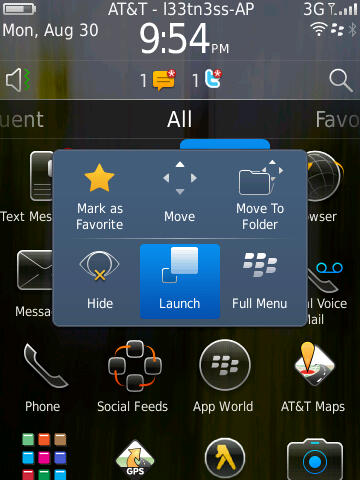 | |||
You can also long press on icons in the launcher and either move them around, or organize them. What’s a bit strange here is that after you’ve tapped and selected move to rearrange icons, the trackpad is then used for actually moving icons - you can’t use the touchscreen. This is just a bit confusing, and probably the only glaring part of the OS that shows a touchscreen/trackpad disparity.
There’s also nothing you can do with the blank unused space when you’ve closed the navigation bar. This would be an otherwise ideal place for some Android-like widgets.
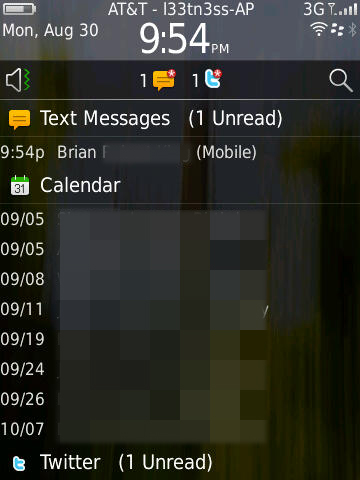
Left: Notifications Expanded, Right: Connections Manager | ||||
 | 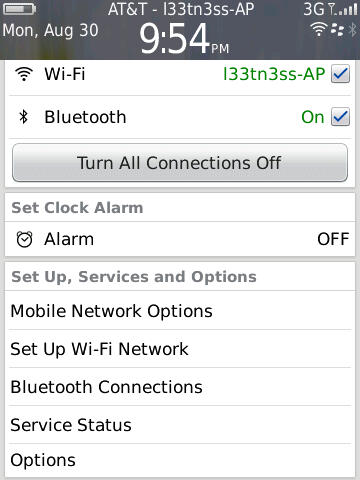 | |||
Up at the top is what RIM is calling the quick access area. Tap in the upmost portion, and you’ll bring down a window for managing active connections, alarms, and status. It makes sense - tapping on the region with the clock, signal status, and date should bring you to a pane where you can manage it.
I’ll also note that up at the top is the carrier string, and after the dash is the SSID of the active WiFi network you’re connected to. I don’t really know why RIM chose to present you with the name constantly, but there it is.
Down below that is the notifications bar, which populates with new notifications - things like new messages, BBMs, email, twitter replies, and even calendar alerts. Tap on it, and the bar swings down revealing a detailed and itemized look at what’s going on. Tapping on an individual alert brings you directly to whatever triggered it. What’s frustrating here is that there isn’t any quick way to clear everything - for that, you have to either manually read everything, or go in messages, shift select everything, and mark opened.
Likewise, tap on the speaker symbol, and you can change the sound and alert policy. Start typing or tap the magnifying glass, and you’re using universal search.
Left: Universal Search, Right: Search Options | ||||
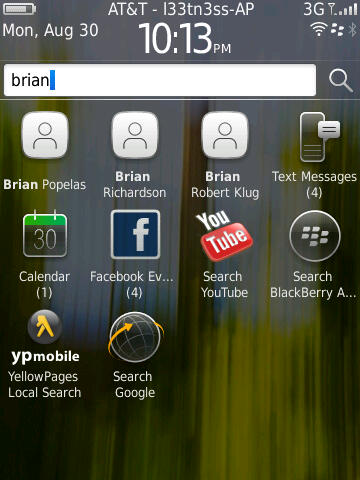 | 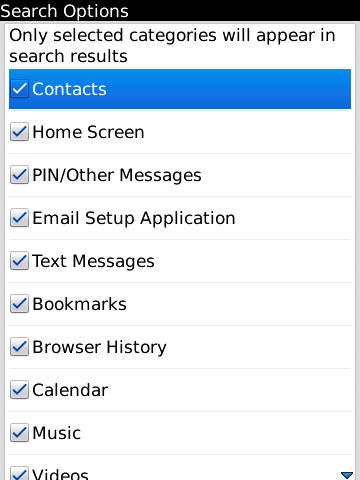 | |||
I found myself using universal search quite a bit, as it does a good job. By default, it searches everything, including BBM, but doesn’t quite search inside conversation text itself. Thankfully you can enable and disable searching basically anything on the device by tapping menu and selecting search options while in the search bar.
Before I go any further into the preinstalled applications, I want to make mention of BlackBerry 6’s completely revamped options and setup windows. Smartphones are no doubt still complicated to many, and getting everything configured on a brand new device for a first timer is no doubt still daunting. Device manufactures and carriers often look at return rates as an important measure of device success. It’s obvious with this feature that RIM wants to both make initial setup straightforward, but also make sure it’s got the low return rate metrics to back up how usable their devices are.
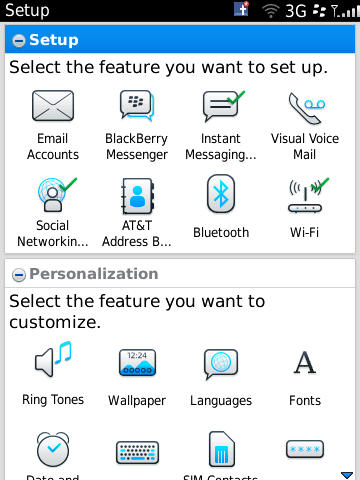
The setup screen does look nice. Right after you power on the device for the first time, you’re essentially dumped here. It makes sense really, probably the first thing I always do on a device is setup my email accounts and sync calendars and contacts. True to form, all of that is here.
Further down are related personalization options, and then tutorials. Even though I might not need features like this, it really does help make the setup process and initial getting started learning curve less of a brick wall for your average device shopper.
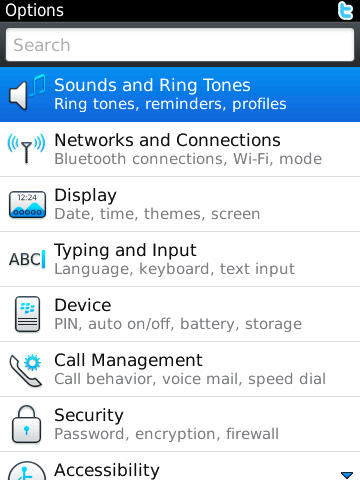
Left: Options, Right: Setup | ||||
 |  | |||
The only downside is that right next to ‘Setup’ is ‘Options.’
Options is what it should be - all the controls and settings are listed under 9 different categories, or you can start typing and find something fast not unlike System Preferences on OS X. Everything in here is nicely organized, and searching for specific things gets you around pretty speedily as well.
Gallery: BlackBerry Torch Options Tour


It’s admittedly a bit confusing to have two different settings applications next to each other, though I understand why RIM did it here. There’s some duplication of functionality - for example, you can ‘setup’ WiFi or get to the menu from Options, both of which get you to the same place.
Signal
Signal attenuation due to holding devices is now a very present concern. As usual, we’ve measured the BlackBerry Torch in three different positions and found that the Torch drops around the same amount of signal as other devices, and of course less than the iPhone 4.
The cellular antenna on the Torch is at the bottom, as is the case for most devices. You can see the flex PCB which houses the antenna at the bottom quite easily right here. It's that different color black area at the bottom of the device:
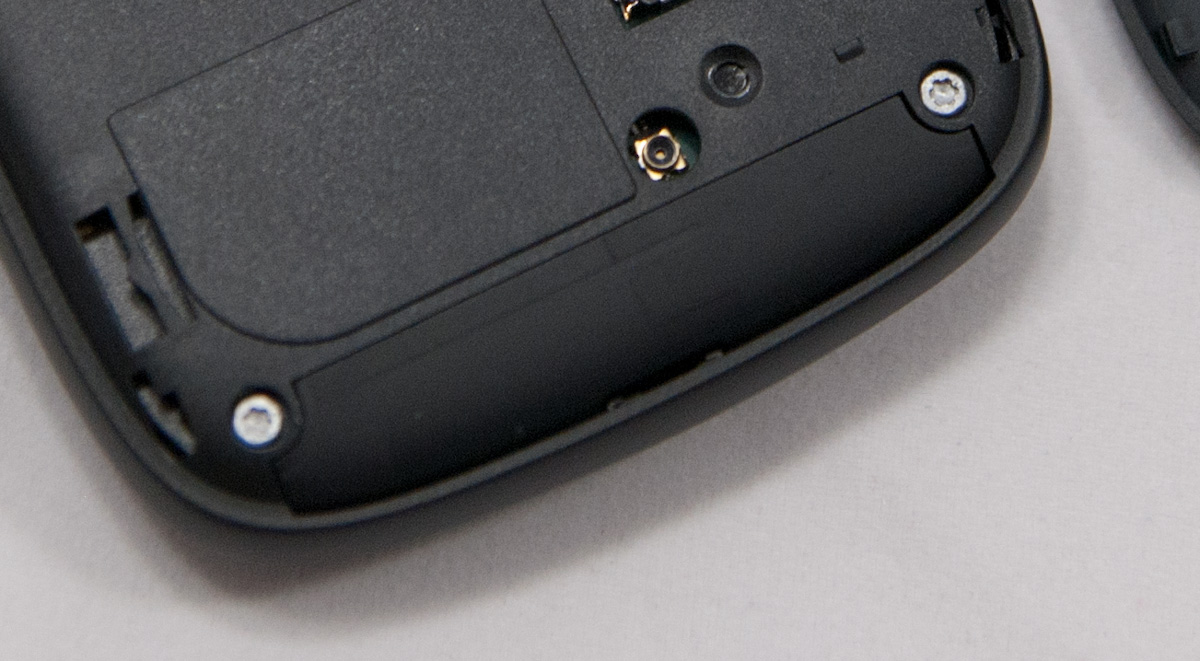
Unsurprisingly, holding the device with the battery cover off and getting as much of my hand in contact with the insulated black surface of antenna as I can (something you wouldn’t ever do in regular use), I can make it drop as much as 21 dB. That's just an example of how getting super close to the radiative surface will attenuate signal - iPhone 4 style. We went through the usual gamut of tests and found that the Torch doesn't drop lots of signal, rather sticking to normal levels of around 15 dB cupped as tightly as possible with the back case on.
Signal Attenuation Comparison in dB - Lower is Better | |||||||
Cupping Tightly | Holding Naturally | On an Open Palm | |||||
BlackBerry Torch | 15.9 | 7.1 | 3.7 | ||||
Dell Streak | 14.0 | 8.7 | 4.0 | ||||
Droid X | 15.0 | 5.1 | 4.5 | ||||
iPhone 4 | 24.6 | 19.8 | 9.2 | ||||
iPhone 3GS | 14.3 | 1.9 | 0.2 | ||||
HTC Nexus One | 17.7 | 10.7 | 6.7 | ||||
As an aside, remember that you can quickly change the bar visualizations to numerical strength in dBm and back by holding alt and typing n m l l on the keyboard.

Like other BlackBerries, strength doesn’t go above -70 dBm on UMTS, to see higher signal power, you have to switch to 2G for some reason.
BlackBerry Torch 9800 Network Support | |||||
UMTS | 2100 / 1900 / 850 / 800MHz | ||||
GSM/EDGE | 1900 / 1800 / 900 / 850MHz | ||||
HSDPA/HSUPA | 7.2Mbps / 384Kbps (UMTS) | ||||
WiFi Performance
Because the BlackBerry browser still doesn't open PDF files directly, and we've been using an 87 MB PDF loaded over WiFi and stored locally to test performance, I had to get a bit creative.
I've shared my love for the "yes" unix command before, and I'll share it again. It's a magical tool that simply prints "y" and a newline. Pipe yes to /dev/null, and you've got an instant CPU benchmark. Pipe it to a text file, you've got a disk benchmark. Do it for a while, and you'll have a positively gigantic file. Did I mention it's also compressible?
For this test, I generated a similar size file using "yes", hosted it like I would the PDF, and loaded it in the BlackBerry browser. Note that the BlackBerry doesn't seem to immediately render the page until the file is fully loaded, as a result we're getting basically the entire WiFi subsystem here, not just how fast the browser loads.
The Torch supports 802.11b/g/n, and I saw it handshake and negotiate at 65 megabits/s with my Airport Extreme. That's just under the usual 72 megabits/s I've seen for 802.11n smartphones. In the test itself, average data rate was a consistent 9.8 megabits/s.

Range on the Torch is almost exactly the same as the other smartphones I've tested, I can make it all the way to the street before losing signal from my AP. That's the same as the Droid X and iPhone 4. It's interesting that the BlackBerry BIS link takes a bit of time to switch to WiFi - it seems like it really wants better signal to hop on, than to hop off. For example, the BlackBerry would join at -7 (RSSI), and hold on to the connection until signal was at -8 (RSSI).
Conclusion
BlackBerry really struggled to get touchscreen right - look no further than the ill-fated BlackBerry storms as proof, and you’ll see just how stormy those waters are. If ironic names are anything, the Torch’s is even more telling - RIM hopes it got touch right this time, and I think they mostly have. The Torch is RIM’s comeback kid, and it admittedly does what it’s supposed to do very well. The BlackBerry DNA is still very much alive in the Torch despite a completely redesigned form factor, modified UI, and different screen aspect ratio.
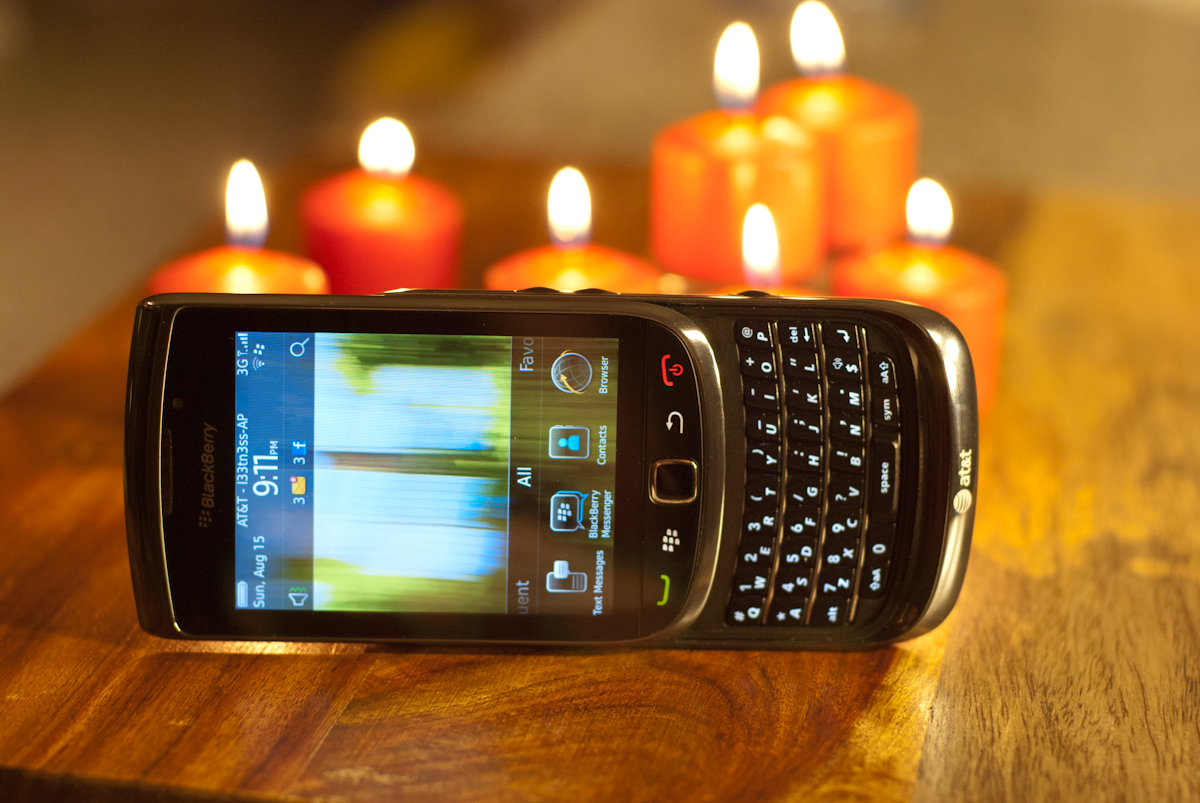
Fire, it's a torch, get it?
But once again I have to return to a dramatic dichotomy in markets that RIM faces for BlackBerry shoppers. On one hand, for users that are required to use BlackBerry for enterprise support or security reasons, the Torch is a dramatic, almost paradigm shifting improvement over its predecessors. It’s literally the first BlackBerry I’ve used in years that feels like it’s from this decade. I think it’s fair to say that RIM has gone through OS 6 with a very fine tooth comb and removed all the 1990s-esque walls of text and labyrinthine menus that kept the platform feeling like it just couldn’t shake its utilitarian roots.
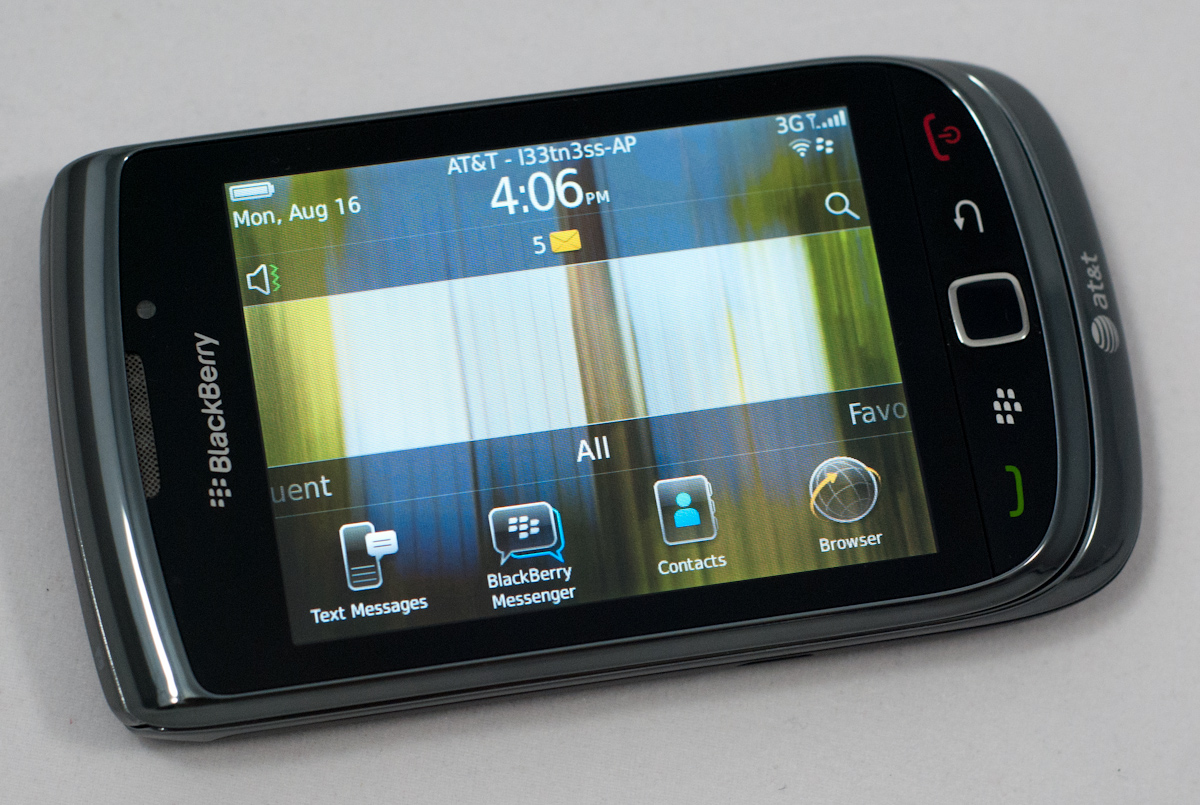
With the Torch, you’re finally getting a browser with a WebKit core that can render web pages properly, new multimedia support, an improved camera, and new form factor that does touch right. I’m impressed with how much the Torch has been able to remake itself without loosing all of its BlackBerry DNA. If you’re a BlackBerry person that can’t go 10 minutes without checking BBM, the Torch feels like a much needed and welcome improvement.
On the other hand, if you’re already spoiled with an iPhone 3GS, 4, or any number of Android 2.x devices, the Torch really isn’t going to impress. The browser is still slower on paper than the competition, the SoC isn’t as powerful as what’s already in either of those platforms, and frankly App World still doesn’t quite have the same level of variety as either of the two. I’ve described the Torch as anywhere from a quarter to a half generation behind - I think that’s the best way to describe performance.
That said, I rarely felt like the Torch was wanting for a faster SoC. Inspecting the applications manager and checking CPU load when waiting for a page to load often revealed that the device was waiting on the BIS link to send data than the browser to actually render. I guess therein lies the problem.
I feel like it’s time for RIM to grant users some liberty with just how much they want to be tied into BIS. Sending emails, BBM (PIN) messages, and other communiques over an encrypted link makes a lot of sense, but unless you’re out of the country and somewhere with carriers that regularly snoop on data, I don’t really see why most users need an encrypted tunnel for web browsing. As we’ve shown, it just slows the experience down when on 3G or WiFi connections. It made a lot of sense back when EDGE and 1xRTT were the only data connections in town, but now it feels like the overhead is more than it’s worth.
There’s been growing talk that RIM should open up its services for use on the other platforms - Android has been named directly a few times, and still others have said RIM should outright make an Android smartphone. Still others have waxed poetic on their love for RIM services like BBM and the encrypted link architecture. Many have conveniently forgotten that RIM actually has already tried this with BlackBerry Connect, which assigned PINs to Palm OS, Windows Mobile, and even Symbian devices. BlackBerry stopped talking about it a while ago, but it wouldn’t be the first time non RIM devices were assigned PINs and treated like BlackBerries. That aside, it’s hard to argue that an Android-running, RIM built, BBM and BIS enabled device wouldn’t be attractive. Point is that there’s still a lot of life still in the platform, should RIM choose to capitalize.
For now, RIM needs to get BlackBerry 6 rolled out to the three devices it’s promised updates for, and Torch-like devices out on the other carriers.
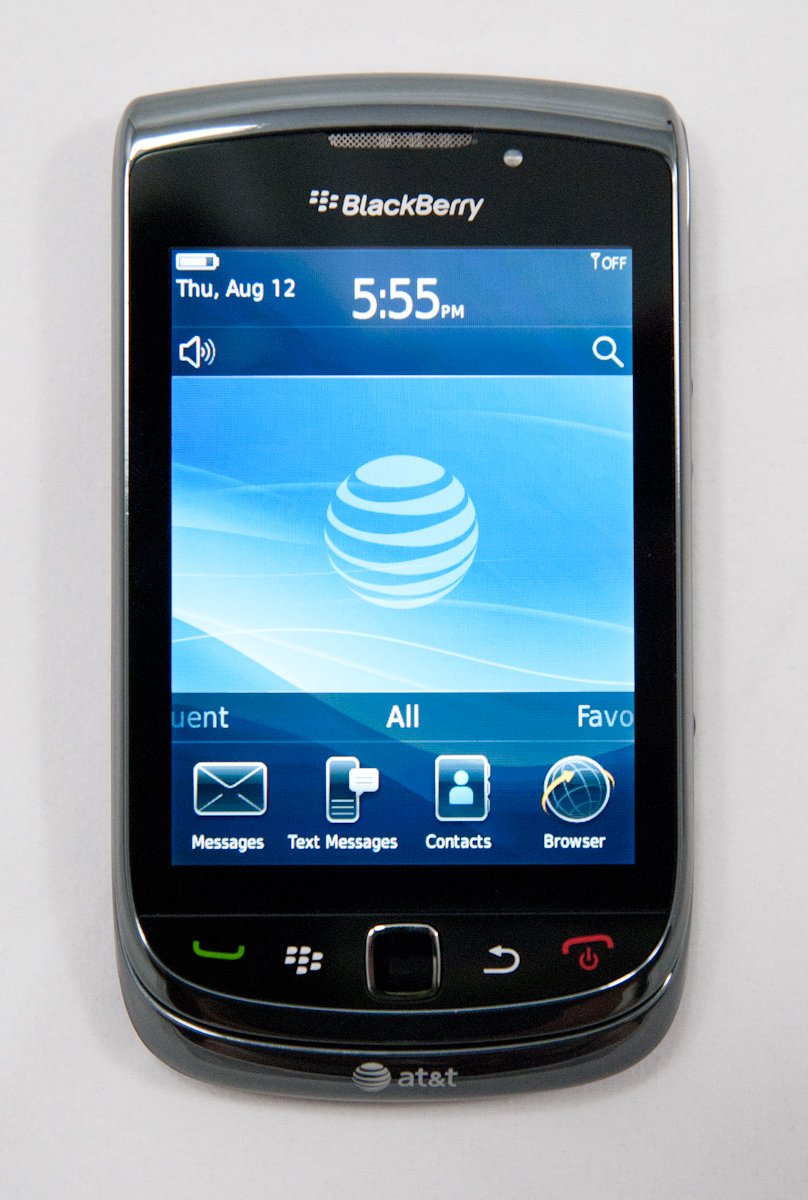
For BlackBerry diehards, BlackBerry 6 and the Torch are both dramatic improvements over BB OS 5 and RIM’s first attempts at touchscreens with the two Storms. If we lived in a perfect world, all BlackBerry Storms would’ve been rounded up, buried in the New Mexico desert under at least 10 meters of concrete and lifeless caliche soil - Atari ET videogame style - and the owners given Torches on launch date. The Torch is what RIM should have launched years ago in their stead.


